
How to Automate RFQ Processing to Cut Quote Time and Errors
Manual RFQ handling has a hard scaling ceiling. Here’s the blueprint to break through it.
Pillar Guide
RFQ Automation Software: The Complete Guide
RFQs are still handled the way they were handled in 2005.
A PDF attachment, a WhatsApp screenshot, or an email thread gets forwarded around until someone retypes it into a quote template. That manual translation step is where time and margin disappear — and where even experienced quoting teams hit a hard ceiling on throughput.
This guide covers why manual RFQ processing fails at scale, what RFQ automation looks like in practice, and a step-by-step implementation blueprint.
Why RFQs Are Still Broken in Most Manufacturing Plants
RFQ intake is rarely designed as an operational process. It's treated as "sales admin" — even though it directly determines capacity planning, margin performance, and delivery reliability.
WhatsApp and chat: partial line items, unclear units, missing delivery terms, abbreviated product names that don't match any master data field
Email: long threads, multiple revisions, attachments with different versions of the same request, last-minute addendums buried in reply chains
PDFs and scans: non-editable text, tables that don't copy cleanly, photos of handwritten notes where quantities are ambiguous
The result: the team spends more time interpreting the RFQ than responding to it.
Why Manual RFQ Processing Fails at Scale
Manual RFQ handling has a hard scaling ceiling. Adding volume adds disproportionately more errors, more exceptions, and more coordination overhead.
Slow turnaround time
Every minute spent rekeying line items is a minute not spent validating feasibility or negotiating terms. Buyers frequently shortlist suppliers before completing a full evaluation — a late response can remove you from consideration before the technical review begins.
High error rates
Typical failure points: wrong SKUs because a description almost matches an internal item, incorrect units of measure, quantities misread from multi-page PDFs, delivery terms missed because they're buried in the body of an email.
These errors don't just lose deals — they create downstream chaos when a won quote can't be executed as promised.
Inconsistent pricing
When quoting relies on tribal knowledge — "use last time's price" or "add 12% for this customer" — you get pricing drift across reps, plants, and customers. That inconsistency shows up as margin leakage.
Lost opportunities
RFQs that don't get quoted at all, or get quoted too late, are functionally the same as a declined order — except you never made a conscious decision to decline.
What RFQ Automation Looks Like in Practice
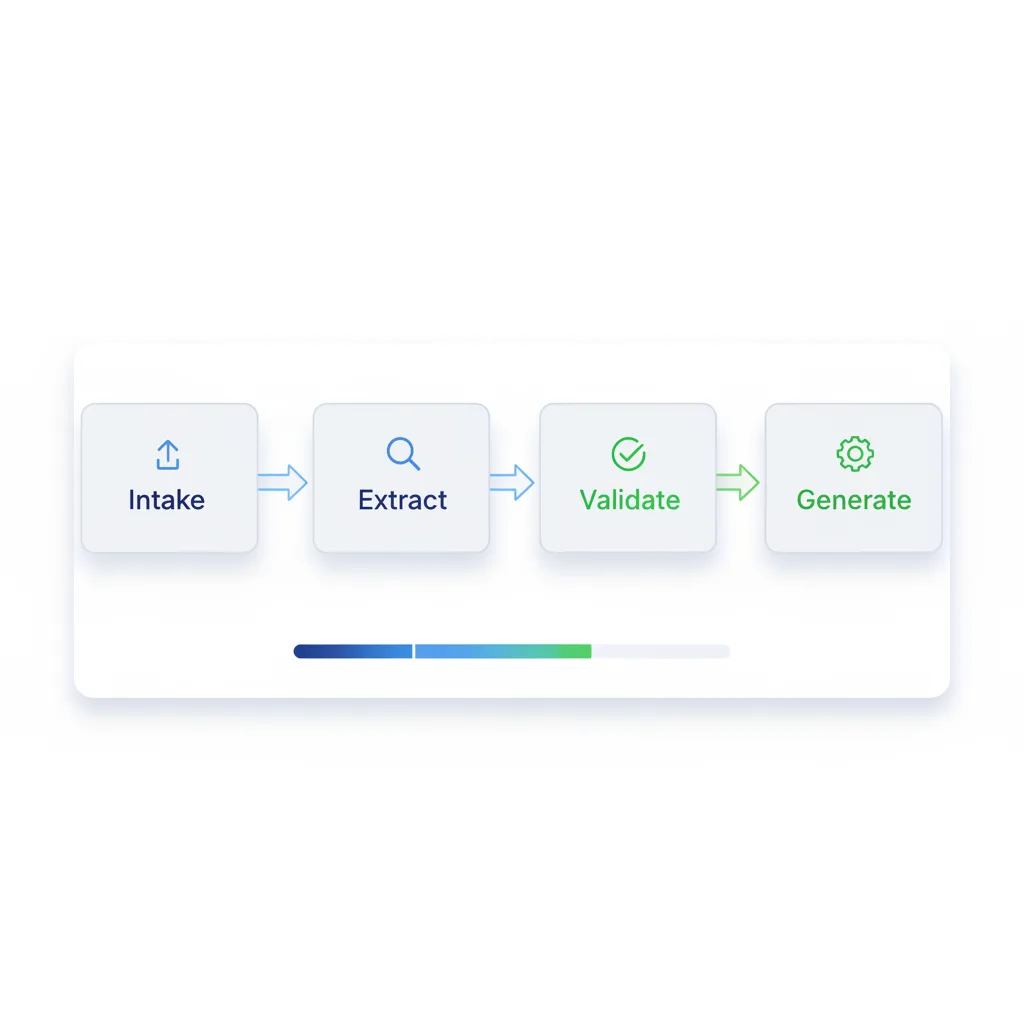
RFQ automation is a workflow that converts unstructured requests into structured, validated, and priced quotes — while keeping your commercial rules intact and your team in control of exceptions.
Capture — Ingest RFQs from email inboxes, shared folders, WhatsApp exports, portals, and scanned documents with version control.
Extract — Parse product descriptions, part numbers, quantities, and units. Extract commercial terms: Incoterms, target delivery dates, packaging specs.
Map to product master — Match extracted lines to SKUs with confidence scores. Flag ambiguity instead of guessing.
Validate — Identify missing fields, route exceptions to the right owner.
Generate with governed pricing — Apply price lists, customer-specific terms, discount rules, and approval paths.
Publish and trace — Send a clean quote and log all assumptions for traceability and dispute resolution.
Implementation Blueprint: How to Automate Without Breaking Your Quoting Rules
Step 1: Standardise RFQ intake
Define the approved intake channels and where they land. Assign ownership for each channel. Create a single RFQ ID and versioning approach so every revision is traceable.
Step 2: Build a usable product master for matching
Clean SKU identifiers and consistent descriptions, unit-of-measure conversion logic, alternate and legacy part number mapping, and customer-specific naming aliases.
Step 3: Define exception routing
- Auto-quote: high-confidence SKU match, standard commercial terms, in-policy discount
- Review required: ambiguous SKU match, special packaging, non-standard lead time
- Engineering input needed: custom part, tolerance ambiguity, new tooling requirement
Step 4: Enforce pricing governance
Centralise price list logic so it's applied consistently. Require approvals for discount thresholds or quotes below margin floors. Log the assumptions used to generate every quote.
Step 5: Integrate with ERP and CRM where it matters
Connect only the minimum required objects: customers and ship-to addresses, product master and SKUs, price lists and commercial terms, quote status and history.
The Business Impact You Can Expect
- Faster quote generation — turnaround compresses because extraction and matching are automated
- Improved accuracy — fewer misquotes from copy-paste errors and interpretation inconsistencies
- Higher sales efficiency — reps focus on deal strategy and genuine clarifications, not rekeying data
- Cleaner operations — cleaner RFQs create cleaner sales orders and more predictable production scheduling
Key Takeaways
- 1Manual RFQ processing fails at scale — more volume means disproportionately more errors
- 2Late responses can remove you from consideration before the technical review even begins
- 3RFQ automation enforces consistency across every quote, every rep, and every channel
- 4Implementation starts with standardising intake and building a clean product master