
RFQ Automation: Turning Unstructured Requests Into Quote-Ready Data
RFQs arrive as chaos. Quote-ready data is what your systems need. Automation is the bridge.
Pillar Guide
RFQ Automation Software: The Complete Guide
RFQs rarely arrive in a format your quoting team can use immediately.
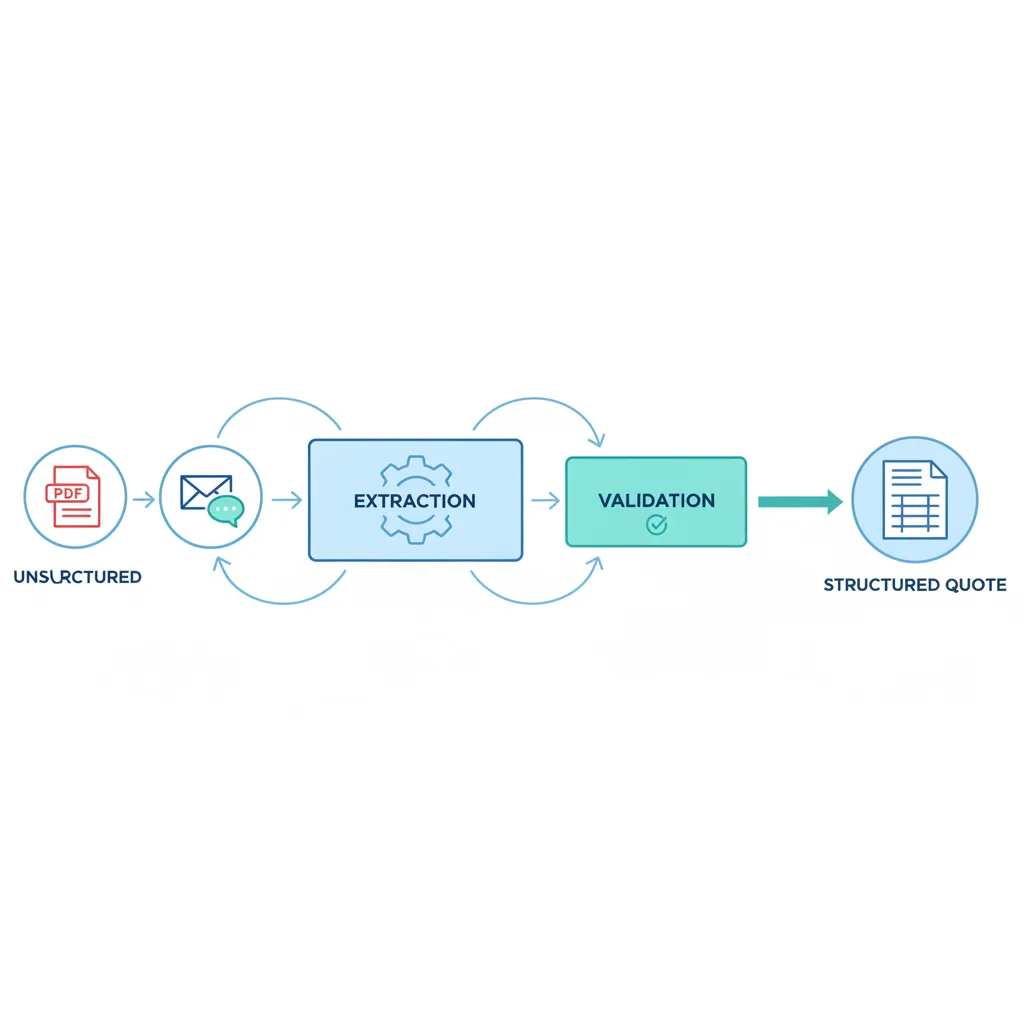
They show up as PDFs, email threads, CAD notes, spreadsheets, and customer-specific templates — each requiring interpretation before a single line item can be priced. That interpretation step is where time disappears and errors are planted.
RFQ automation is the discipline of converting that unstructured inbound demand into structured, validated data that flows into quoting workflows with minimal human rework.
What RFQ Automation Actually Is
RFQ automation is not simply "auto-filling a quote template." The value is upstream, before the quote is generated:
- Normalising inputs across customers and formats so your systems can process them consistently
- Extracting the fields that drive price, lead time, and feasibility from wherever they happen to be buried
- Validating completeness and logic before a quote is generated — catching missing tolerances, unit ambiguity, or conflicting specs at intake
- Routing exceptions to the right owner instead of stalling the entire RFQ
In operational terms, RFQ automation reduces coordination cost between Sales, Engineering, Planning, and Procurement by making the RFQ legible to systems and repeatable for people.
How RFQ Automation Works: Step by Step
Step 1: Input Capture
Reliably ingest RFQs from wherever they arrive: email with attachments, customer portals and EDI exports, shared network folders, direct CRM uploads, and WhatsApp exports.
The system preserves original documents in source format, customer metadata, and versioning so every revision is tracked.
Step 2: Data Extraction
Extraction turns unstructured documents into usable, structured fields: part number or customer part number, description and drawing revision level, quantity breaks and annual volume estimates, material requirements and approved alternates, finish and tolerance specifications, required certifications, target price if provided, applicable Incoterms, and requested lead time.
Step 3: Data Validation
Extraction alone is not enough — you can extract a bad input accurately and still produce a bad quote. Validation checks include:
- Completeness: missing quantities, units, drawing revision, or required certifications
- Consistency: mismatched units across line items, tolerances conflicting with standard processes
- Master data alignment: does the part exist, is a routing defined, are approved materials available
- Business rules: minimum order quantities, margin floors, items requiring engineering review
The output is an exception workflow: auto-approve clean RFQs, route exceptions to the specific function with a precise question.
Step 4: Quote Generation
Once structured and validated, quote generation becomes a repeatable, rule-driven process. Outputs: quote line items with pricing, lead time, and commercial terms; an assumption list; and an internal task list for follow-ups.
Why RFQ Automation Matters in Real Operations
It reduces manual work that doesn't scale
Quoting teams frequently spend hours per RFQ on activities that add no commercial differentiation: copying and pasting from PDFs, reformatting templates, emailing customers for missing fields. Automation shifts that work from repetitive handling to exception management.
It increases quote speed without sacrificing control
Buyers shortlist suppliers early. A fast credible response keeps you in the evaluation. Automation makes both speed and accuracy possible simultaneously.
It improves accuracy and prevents rework
Errors most commonly originate in the translation step. RFQ automation forces structure into that step, and structure enables validation — reducing error propagation into ERP sales orders and shop-floor commitments.
What to Measure to Prove It's Working
- Quote cycle time — from request received to quote delivered
- Touch time per RFQ — actual human minutes spent per request
- Exception rate — percentage requiring human clarification at intake
- First-time-right quote rate — quotes that convert without rework
- Revision churn — number of RFQ and quote revisions per opportunity
Common Failure Modes — and How to Avoid Them
- Extraction without validation — you get structured errors faster, which isn't an improvement
- No exception routing — the RFQ still stalls in a different inbox with less context
- No mapping to master data — teams re-key data into ERP anyway, defeating the purpose
- No assumption capture — you can't defend price or scope if assumptions aren't recorded
Key Takeaways
- 1RFQ automation is upstream of the quote — it makes the RFQ legible to systems first
- 2A quote is a commitment — commitments built on bad intake data create shop-floor problems
- 3The four stages: capture, extract, validate, generate — each with a clear purpose
- 4Measure quote cycle time, touch time per RFQ, exception rate, and first-time-right rate